Understand
See how storage is organized, where space is concentrated, and which files, folders, categories, locations, and metadata are shaping the picture.
Storage · Folders · Categories · MetadataDriveSpace by FileTerrain
DriveSpace is a Windows environment for understanding storage, investigating files and information, discovering relationships, comparing locations, and turning complex digital storage into something you can actually navigate.
Beyond a disk-space chart
Years of documents, photos, archives, backups, duplicates, projects, downloads, external drives, and forgotten material accumulate into a digital environment that ordinary file browsing only shows one folder at a time. DriveSpace is being built to help you understand that environment as a whole—and then investigate the details that matter.
From preparation to informed action
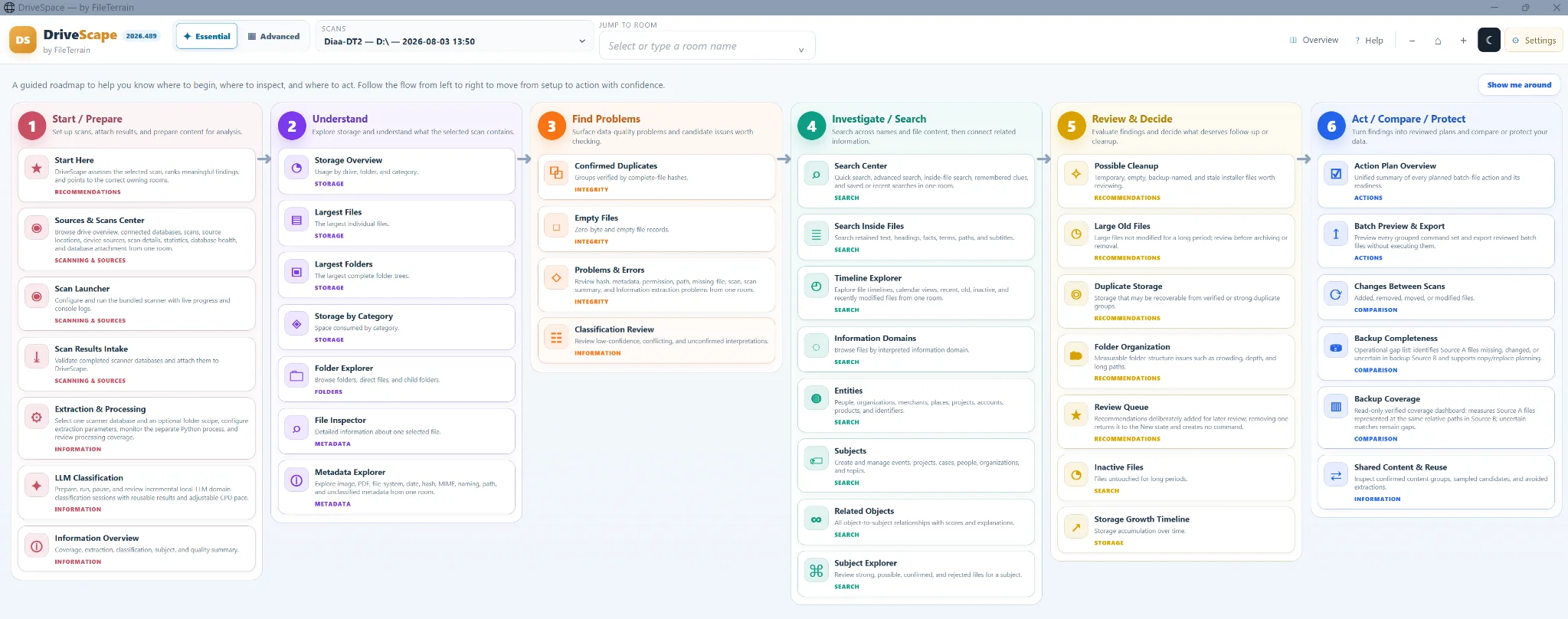
The DriveSpace workflow connects Windows storage analysis, file and folder investigation, search and information discovery, recommendations, comparison, and review in one environment.
See how storage is organized, where space is concentrated, and which files, folders, categories, locations, and metadata are shaping the picture.
Storage · Folders · Categories · MetadataExplore duplicates, file details, integrity concerns, timelines and search results, then use Information Intelligence to uncover subjects and related information.
Integrity · Search · Information IntelligenceBring findings together, review recommendations, identify old or unusual material, and decide what deserves attention before anything is changed.
Recommendations · Review · EvidenceCompare scans and locations, assess backup coverage and change, and prepare reviewed actions from evidence instead of guesswork.
Comparison · Backup · Action planningTwo ways to navigate. One analytical environment.
Essential gives you a guided route through the work. Advanced opens the broader DriveSpace navigation map and its specialized halls and rooms when you want direct access to the full terrain.
Local-first by design
DriveSpace performs its core storage and information analysis locally on your Windows PC. FileTerrain provides the account, authorization, product, update, and commercial services needed to operate DriveSpace without requiring your private analytical environment to become a cloud copy.
Built to grow with the problem
DriveSpace is being prepared for personal, household, small-office, and business use. Detailed pricing and purchase options will be published closer to commercial launch.
We are preparing DriveSpace for its first public release. Join the launch list for progress and availability updates, or ask to be considered for the Founding Preview if you would like to try pre-release versions and provide practical feedback.